Unicode guide
What Is a Hidden Character?
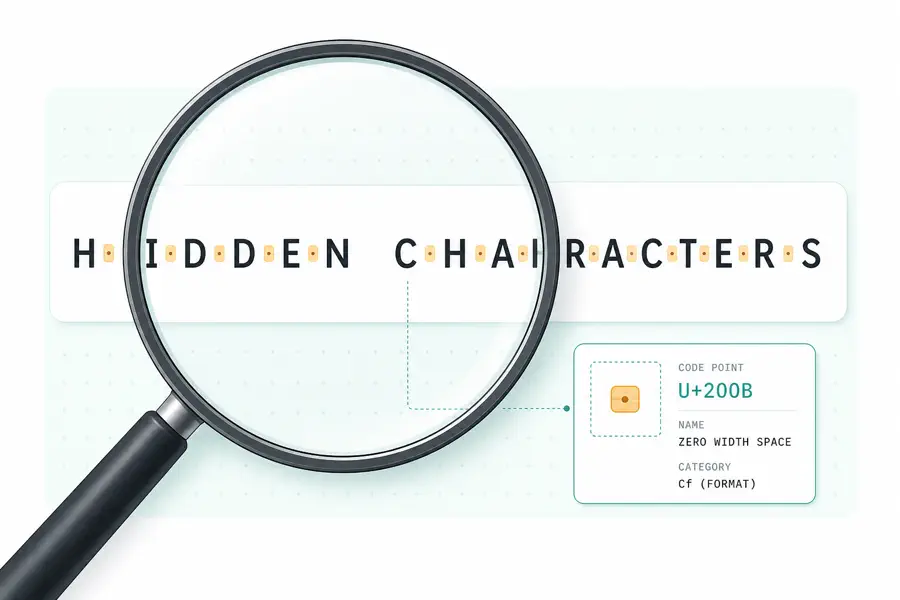
A hidden character is a Unicode code point that affects the way text is stored, searched, displayed, or copied without appearing as an ordinary visible symbol. Zero-width spaces, non-breaking spaces, directional marks, and byte-order marks are common examples.
Common Types of Hidden Characters
The phrase “hidden character” is broad. It can describe a character that has no visible glyph, a spacing character that looks like an ordinary space, or a formatting control that changes direction or joining behavior. The distinction matters because cleaning every unusual code point in the same way can damage a document.
Zero-width characters
Zero-width characters occupy no visible width in most contexts. A zero-width space can mark a possible line-break location, while a zero-width joiner can influence how adjacent symbols combine. They are legitimate Unicode characters, but they can also appear accidentally when text is copied from a web page, editor, PDF, or messaging application.
The most familiar examples are U+200B ZERO WIDTH SPACE, U+200C ZERO WIDTH NON-JOINER, and U+200D ZERO WIDTH JOINER. U+FEFF is commonly called a byte-order mark, or BOM, at the beginning of a file. Inside ordinary text, the same code point is named ZERO WIDTH NO-BREAK SPACE and is usually worth inspecting.
Non-breaking and Unicode spaces
Not every invisible-looking character is zero width. U+00A0 NO-BREAK SPACE looks like a normal space but prevents a line break between the surrounding words. Unicode also defines EN SPACE, EM SPACE, THIN SPACE, and HAIR SPACE from U+2000 through U+200A. These can be intentional typographic choices, but they can also make search, validation, or string comparison behave differently from expected.
Formatting and bidirectional controls
Some characters influence how a sequence is interpreted without rendering a visible mark. LEFT-TO-RIGHT MARK, RIGHT-TO-LEFT MARK, embedding controls, overrides, and isolates help text support multiple writing directions. They are important for internationalized text, yet they deserve attention when a filename, source string, or copied sentence appears to be reversed or does not compare correctly.
Hidden Character Code Points to Know
| Character | Code point | What it can affect |
|---|---|---|
| ZERO WIDTH SPACE | U+200B | Invisible break opportunities and string comparisons |
| ZERO WIDTH NON-JOINER | U+200C | Joining behavior in scripts that use contextual forms |
| ZERO WIDTH JOINER | U+200D | Joining behavior and emoji sequences |
| NO-BREAK SPACE | U+00A0 | Line wrapping, search, and exact string matching |
| RIGHT-TO-LEFT OVERRIDE | U+202E | The visual direction of following text |
| WORD JOINER | U+2060 | Preventing breaks without visible width |
| ZERO WIDTH NO-BREAK SPACE (BOM) | U+FEFF | File encoding markers and pasted text artifacts |
The code point is more reliable than the appearance. For example, these visible examples communicate the difference without hiding a real character in the article: A[U+200B]B has a zero-width space between the letters, while A[U+00A0]B has a non-breaking space.
Why Hidden Characters Cause Real Problems
Search engines and programming languages compare stored characters, not only the shapes a browser draws. A username containing U+200B may look identical to a clean username but fail an exact lookup. A CSV value containing U+00A0 may not match a value containing U+0020. A bidirectional override can make a log line or filename harder to read. In a publishing workflow, an invisible mark can also survive multiple rounds of copying and make it difficult to explain why two apparently identical paragraphs produce different results.
These characters are not automatically dangerous. They are part of the Unicode standard and can serve real linguistic or typographic purposes. The practical question is whether the character belongs in the specific text you are working with.
How to Find Hidden Characters in Copied Text
Start with the smallest suspicious sample. Paste it into a detector that reports code points and names, rather than relying on a visual editor alone. A useful result should show the character in context, count repeated occurrences, and leave the original input unchanged until you decide to clean it.
For a quick inspection, use the Hidden Character Detector and look for the highlighted marker above each unusual position. The result table groups repeated code points, which helps distinguish one accidental mark from a repeated formatting pattern.
When you need the full Unicode name, category, block, or encoding size for each distinct value, use the Unicode Character Checker. It reports the underlying code points—including emoji sequences and combining marks—without changing the text.
How to Remove Them Safely
Create a separate clean copy instead of editing the source destructively. Zero-width and formatting controls can usually be removed when they are not intentional. Unicode spaces are different: replacing U+00A0 or U+2009 with an ordinary space often preserves the sentence better than deleting the space and joining two words. After cleaning, inspect the result again and confirm that the target code points are gone.
The right cleanup policy depends on the text. A linguist, localization specialist, or developer working with bidirectional scripts may need to preserve certain marks. When in doubt, record the code point, its context, and the reason for removing it.
Try the Hidden Character Detector